What AxiFloor
does today
Seven areas, each on a real screen from a demo system running SAP S/4HANA® Cloud Public Edition. What is not built yet is on the roadmap.
Plan
Planning starts from your ERP’s own orders: the load on each work centre, each week sequenced inside the shifts, and the orders that are ready to release.
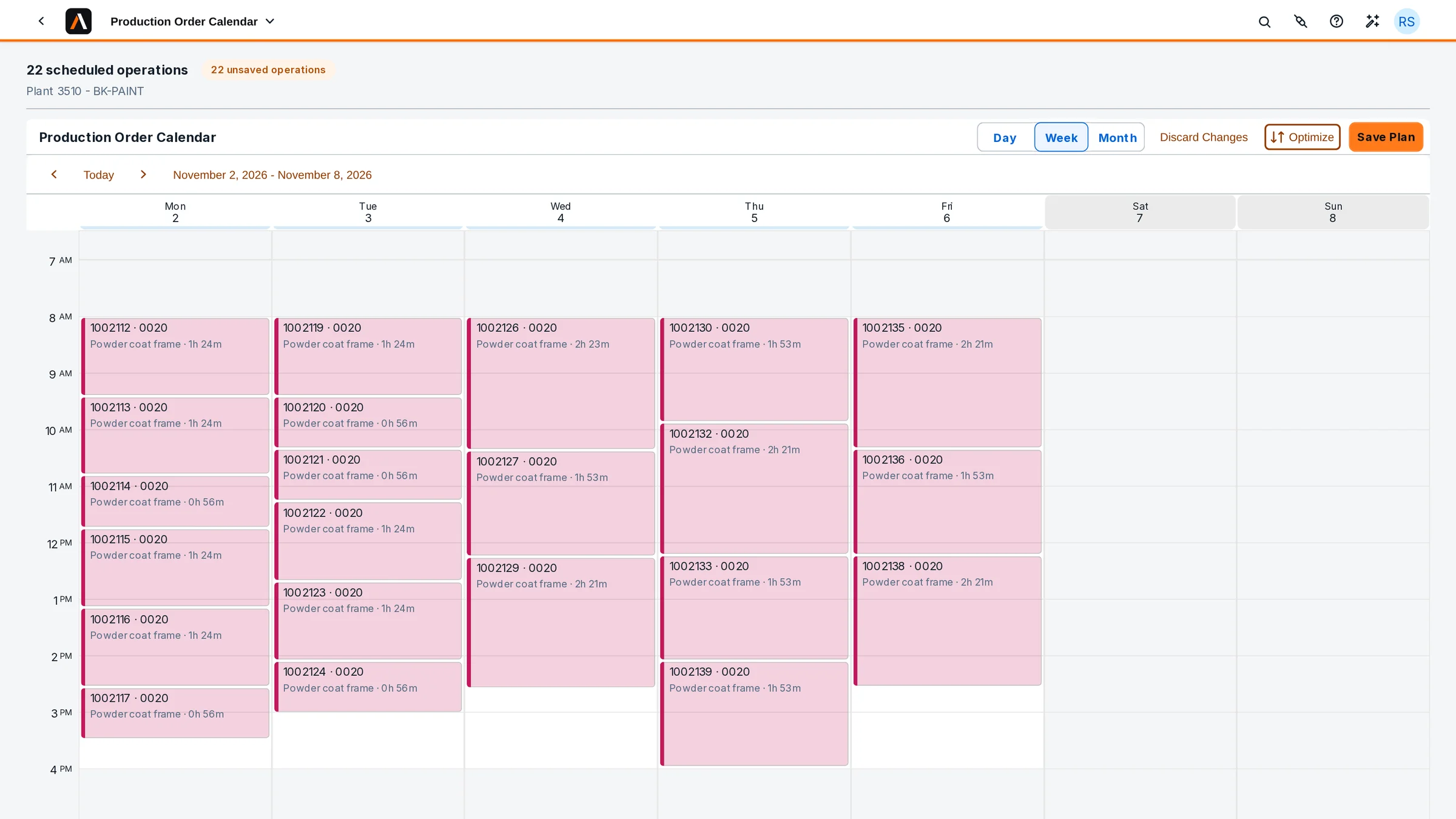
- Production Order CalendarEach work centre’s operations by day, week or month; Optimize lays them inside the shifts as a draft until Save Plan.
- Capacity BoardLoad against capacity per work centre and day, from SAP S/4HANA’s own capacity requirements.
- Plan to ProduceWhich planned orders can be converted and released, checked before anything is posted.
- Missing PartsStock and confirmed incoming supply against what each order still needs.
Execute
Operators work from the station, on a tablet at the line; supervisors see each order whole. For discrete and process orders.
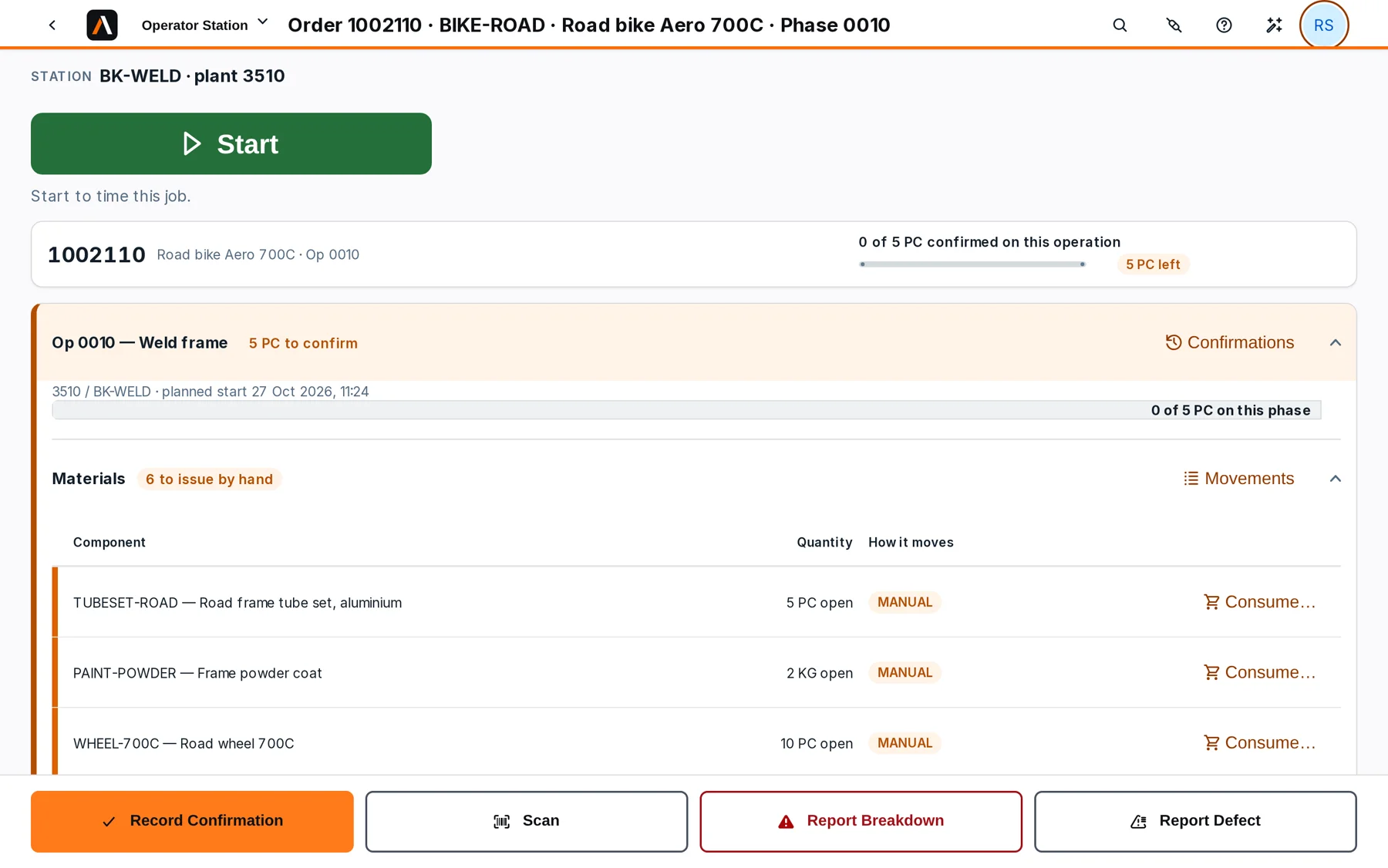
- Operator StationThe work centre’s queue; the operator’s Start and Stop time the job, and that time is booked with the quantity.
- Order CockpitOne order on one page: materials, execution, quality and goods receipt, each with what its verdict is based on.
- Materials per operationBackflushed ones post with the confirmation; manual ones are consumed from the station.
- Breakdowns and defectsReported by the operator at the station, on the order they belong to.
Verify
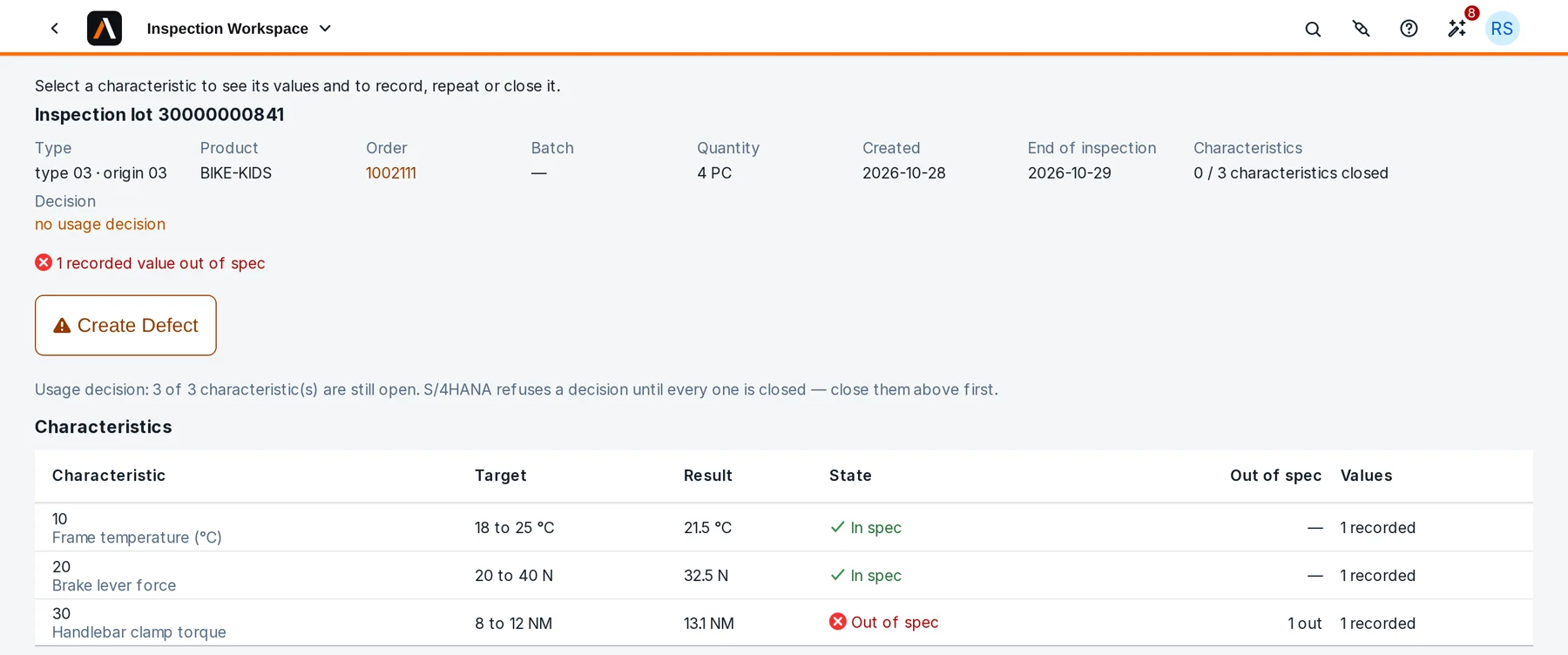
In-process quality on the same order as the work, so an out-of-spec result is seen at the line, not at the end.
- Quality WorklistPending, overdue and failed inspections: the inspector’s day in one list.
- Results per characteristicRecorded against their limits; out of spec shows in red first.
- DefectsRecorded on the lot or the order, with their code and quantity.
- Usage decisionTaken on the same lot once every characteristic is closed.
Act
Every issue at the plant, ranked, each with its cause, its impact and one next step. The Manufacturing Overview refreshes every five minutes while it is open.
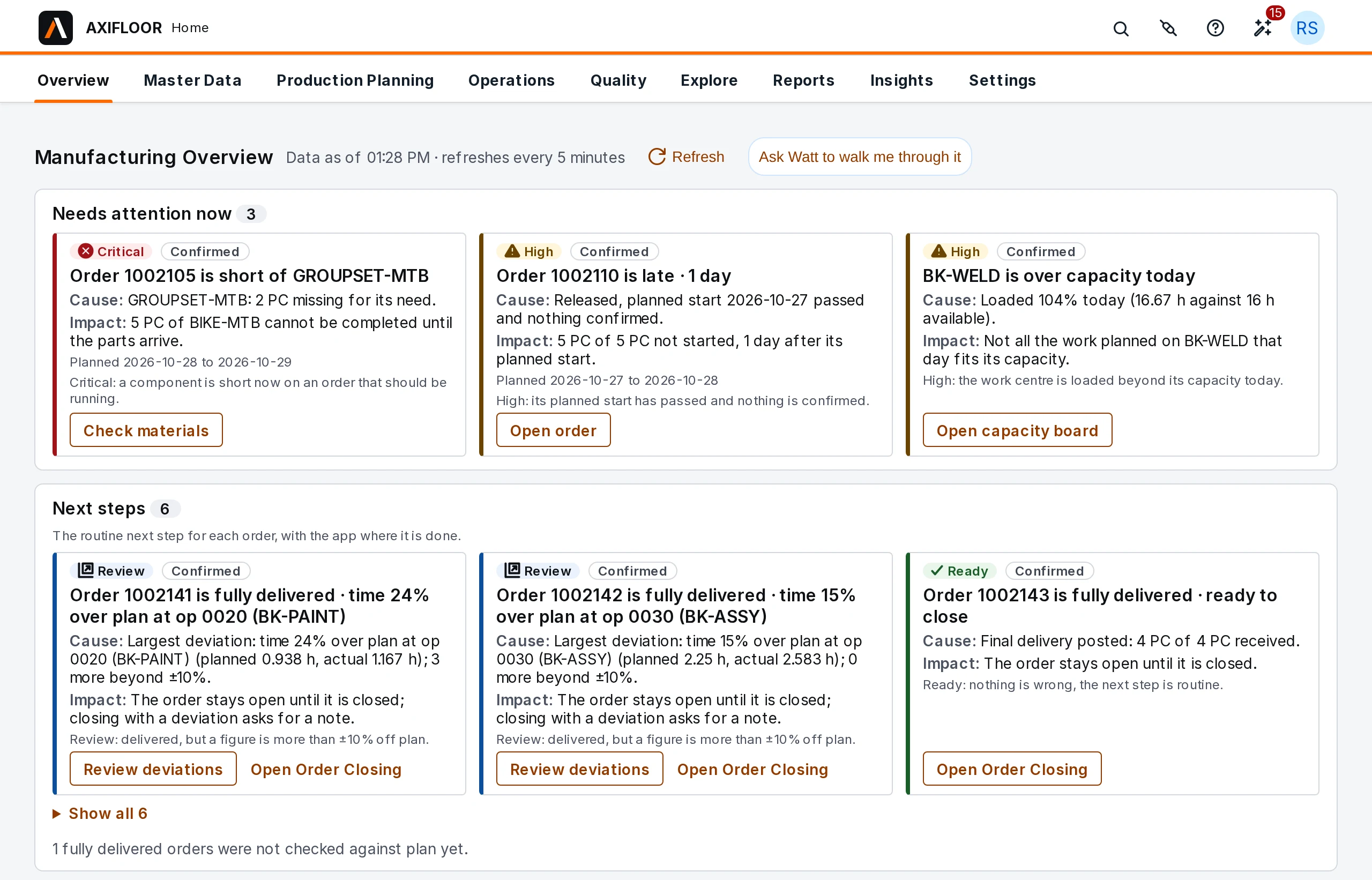
- Needs attention nowLate orders, shortages, lots without a decision and overloaded work centres, ranked by urgency.
- Next stepsEach order’s routine next action, with the app where it is done.
- Coming upKnown conditions that will hit work planned in the next 24, 48 and 72 hours.
- Exceptions InboxEvery order’s exceptions, filed by reason, with what to do about each.
Order closing
Each delivered order checked against its plan before it is closed, operation by operation, so a deviation is explained while it is still fresh.
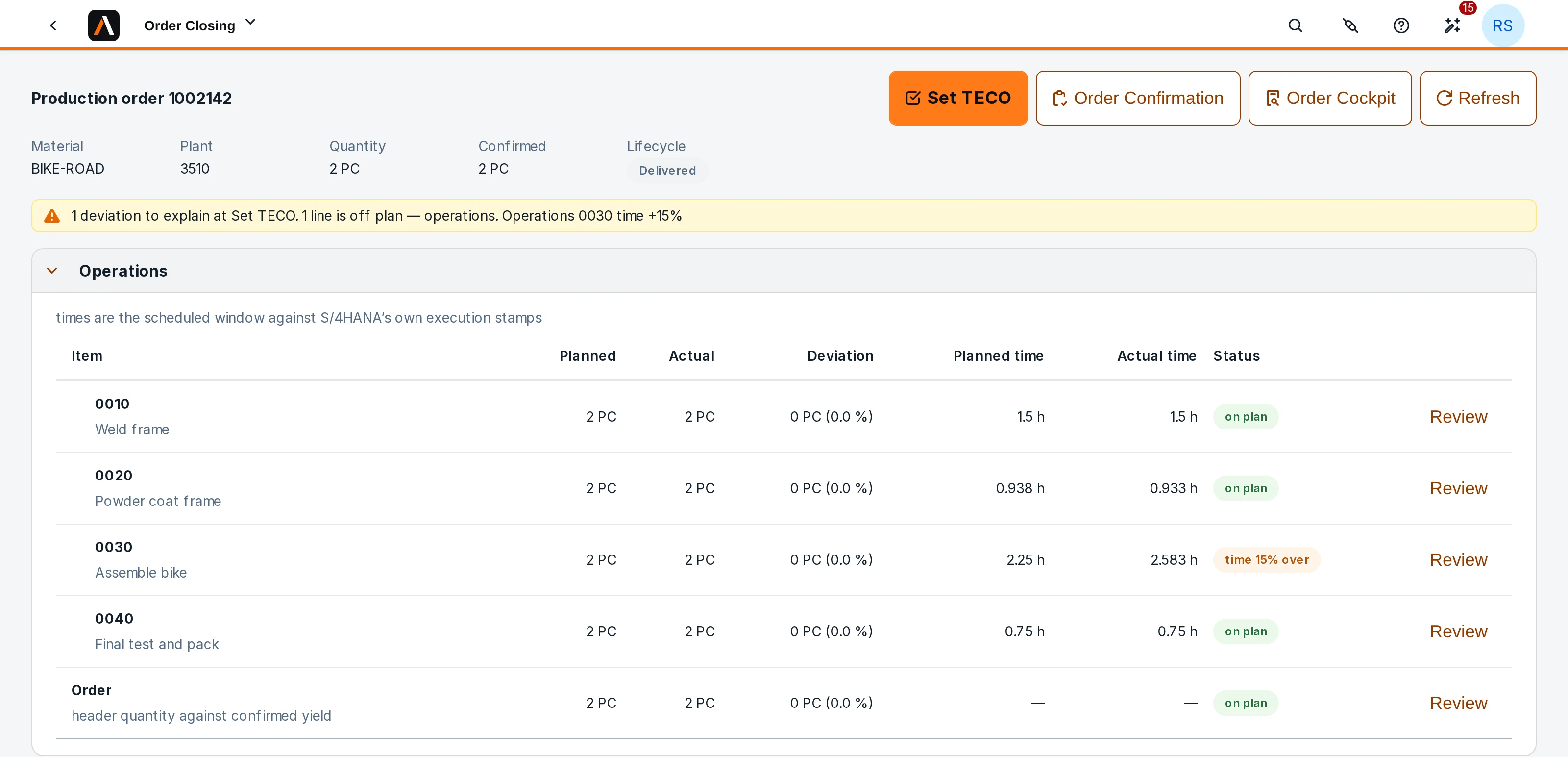
- Planned against actualOperations, consumption, goods receipt and quality, each row with its deviation and status.
- Deviations to explainSet TECO asks for a note on each deviation before the order is closed.
- Closing deviationsThe notes written at closing, newest first, with who closed the order and when.
- Did not postGoods movements the ERP did not post are listed with what to do in SAP S/4HANA.
Master data
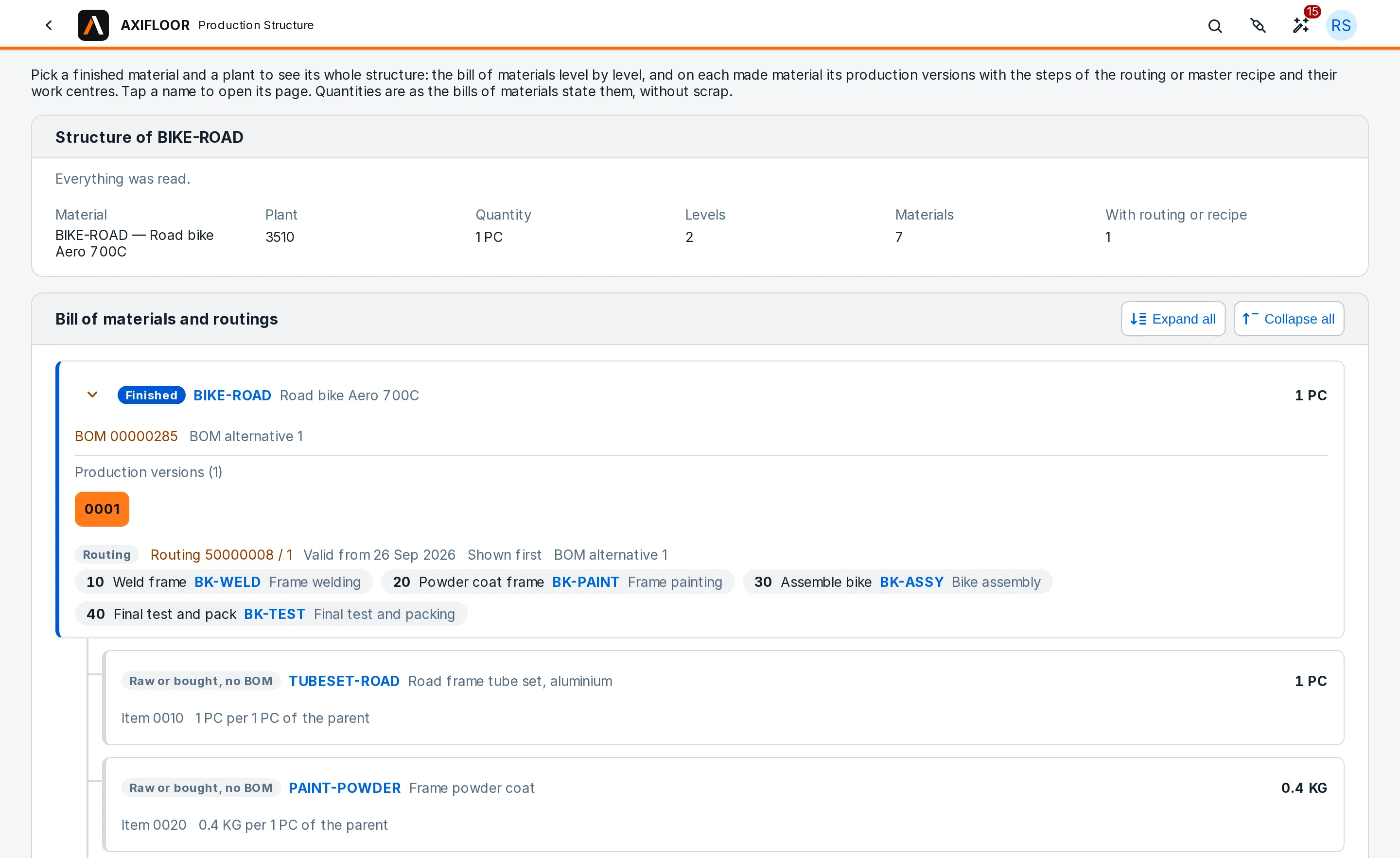
The manufacturing master data behind each order, read from SAP S/4HANA and laid out for the plant: one material, its structure, its routings and recipes.
- MaterialAll the manufacturing master data for one material at one plant, on one page.
- Production StructureThe bill of materials level by level, with each made material’s routing or recipe and its work centres.
- Master Data ReadinessChecks per material whether it can be planned, with what to fix.
- Where-used and comparisonThe bills of materials that use a component, or two of them side by side.
Insights
What actually happened, after the fact: one batch across orders, one work centre, or the whole plant week by week.
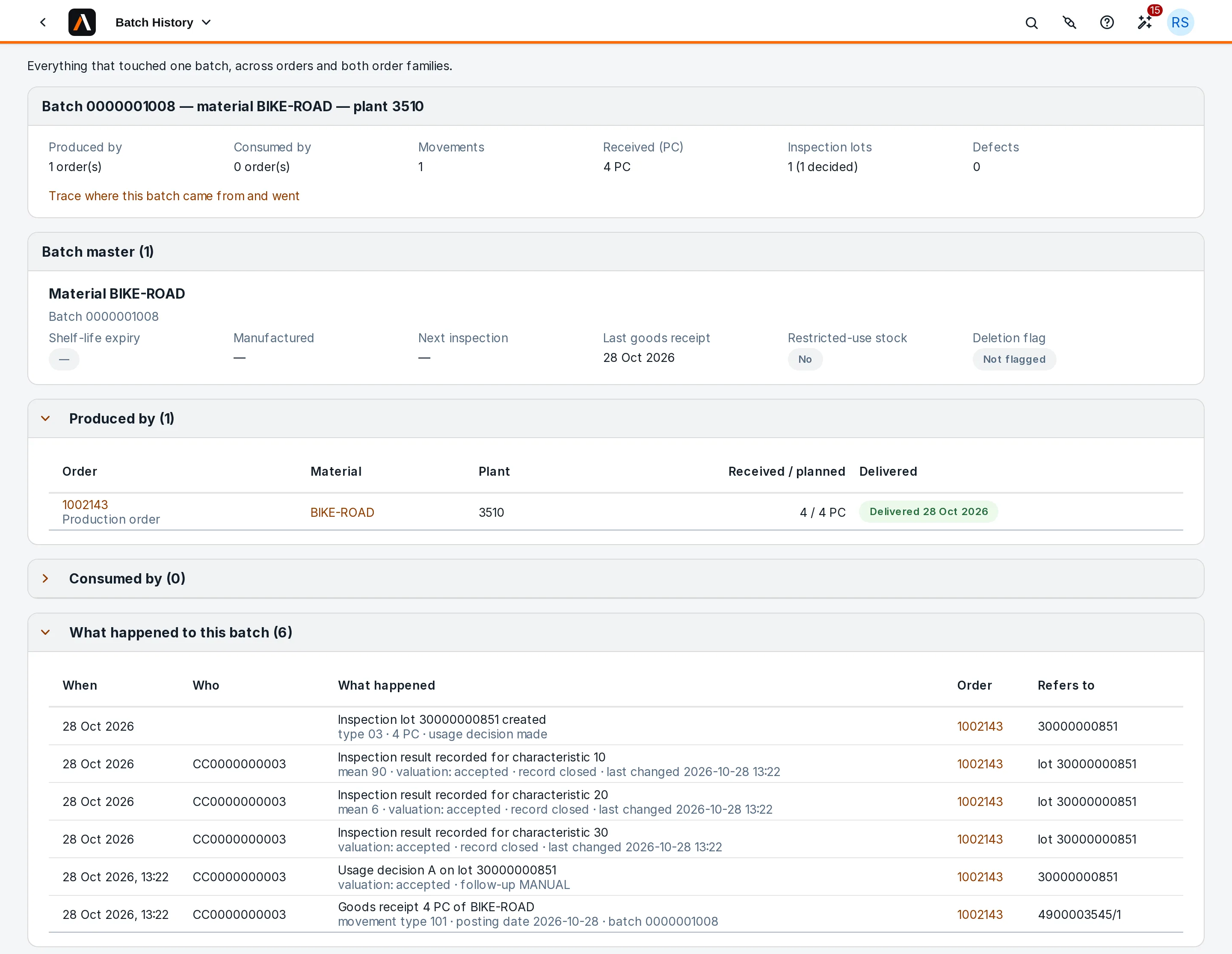
- Batch HistoryEverything that touched one batch, across orders: produced by, consumed by, inspection lots and defects.
- Batch TraceWhere a batch came from and where it went, several levels deep.
- Work Centre HistoryWhat actually ran on a work centre, beside what was scheduled there.
- Production TrendsYield, scrap, deliveries and quality week by week, across both order families.
See it on your process
AxiFloor works through the standard released SAP S/4HANA APIs, with the ERP as the system of record. Book a demo and see it on a real system.